STOP BABYSITTING
YOUR RENDERS.
Step away from your workstation with total peace of mind. Stream live frame previews, track GPU/VRAM thermals, and pause or abort runaway jobs in Unreal Engine, Houdini, and Blender — directly from your phone.
 Unreal Engine 5.5 — Movie Render Queue
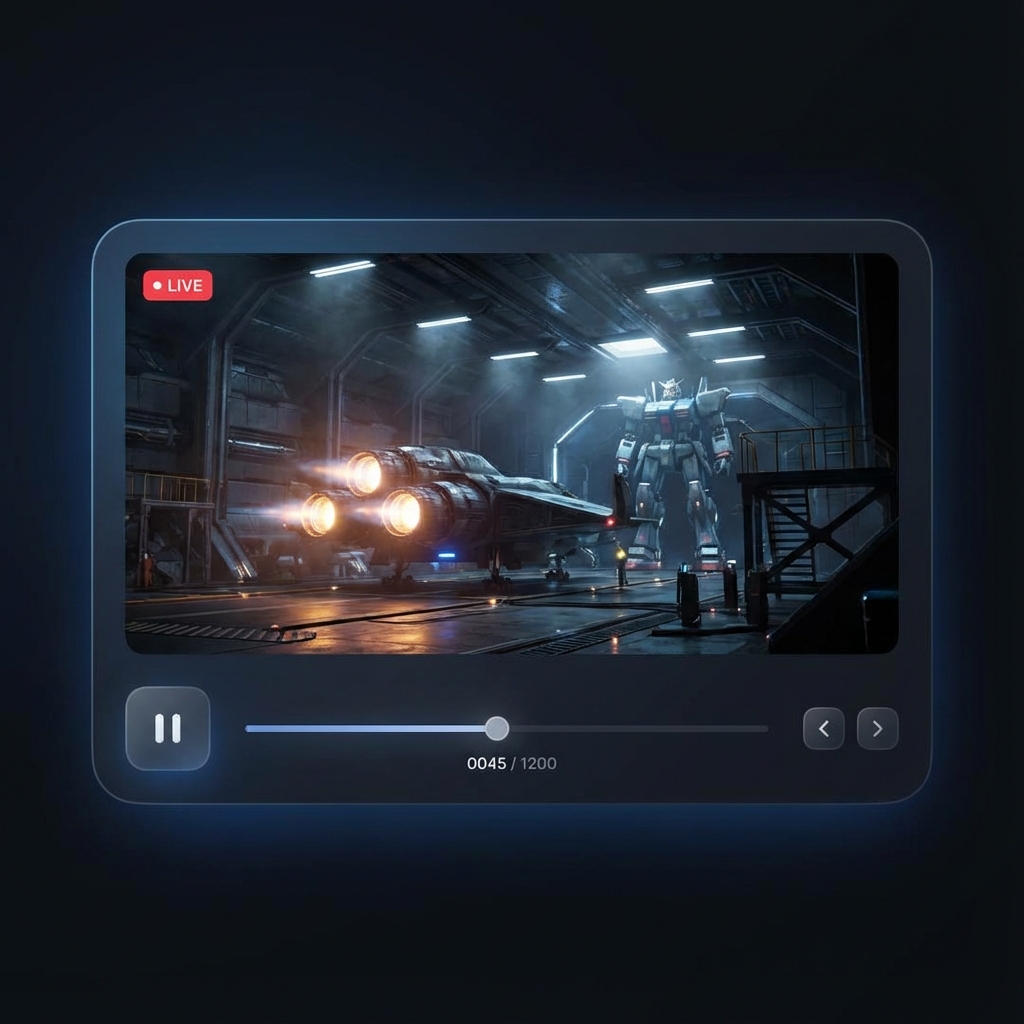
Try it: Click "Request Live Frame" or "Pause" on the mobile screen to test real-time simulated telemetry.
WHY RENDERBUDDY EXISTS
Local rendering is the lifeblood of freelancers and boutique VFX studios. But leaving your workstation unattended is a recipe for wasted hours.
The Midnight Anxiety
-
Wasted Nights: Launching a 10-hour render, only to discover at 9:00 AM that frame 14 crashed with an Out-of-Memory error.
-
Remote Desktop Agony: Fighting laggy VPNs, dropped TeamViewer sessions, or mobile remote desktops that freeze your workstation viewport.
-
Blind Guesswork: Constantly refreshing a shared Dropbox, Google Drive, or network folder hoping new EXRs appear.
-
Chained to the Desk: Missing dinners, client meetings, or gym sessions just to click "Accept" on a render prompt.
The RenderBuddy Standard
-
Instant Push Alarms: Immediate notification on your phone the moment a render finishes, stalls, or throws an error.
-
Live Frame Inspection: Tap once on cellular or Wi-Fi to inspect full-fidelity preview captures of the active frame.
-
Hardware Telemetry: Keep an eye on GPU thermals, VRAM thresholds, and CPU load to catch memory leaks early.
-
Remote Emergency Controls: Notice a bad camera angle or lighting glitch from your phone? Abort or pause instantly before burning electricity.
FROM ZERO TO CONTROLLED IN 10 SECONDS
No port forwarding. No router NAT configuration. No network engineers required.
1. Start Desktop Agent
Download and run the ultra-lightweight C++ executable on your workstation. It sits quietly in the Windows system tray using <15MB RAM.
2. Enable DCC Plugin
Drop our native plugin into Unreal Engine, Houdini, or Blender. The plugin streams telemetry over local UDP socket 127.0.0.1:5555 with zero frame loss.
3. Pair via 6-Digit Code
Open the mobile app and type the 6-digit cryptographic pairing code shown on your desktop agent. Encrypted pairing completes instantly.
4. Step Away Freely
Grab coffee, head home, or sleep soundly. Check telemetry, inspect live frames, and pause or stop jobs anytime from your pocket.
ENGINEERED FOR PRODUCTION REALITY
Designed from the ground up by 3D supervisors and VFX artists who understand production deadlines.
Connected in 10 Seconds. Zero Open Ports.
Unlike old-school remote access tools that require exposing ports or managing dynamic DNS, RenderBuddy pairs cryptographically through a secure Firebase relay. Your workstation stays behind your firewall.
Hardware Telemetry & Crash Prevention
Watch GPU utilization, active VRAM, CPU load, and system thermals in real time. Know immediately whether your workstation is rendering smoothly, waiting on disk I/O, or throttling dangerously.
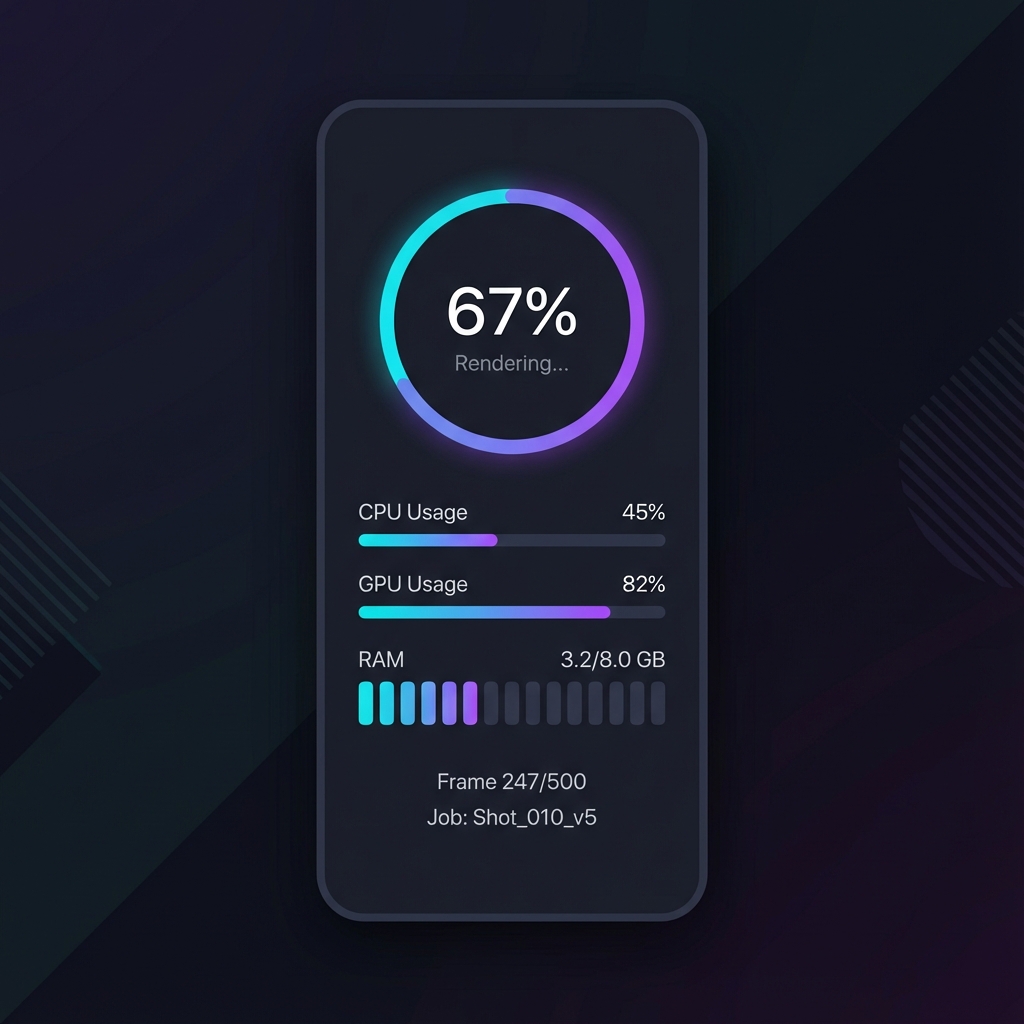
Instant Compressed Frame Inspection
No more guessing whether the lighting pass broke or an asset failed to load. RenderBuddy grabs lightweight preview frames and streams them directly to your phone screen so you can verify quality remotely.
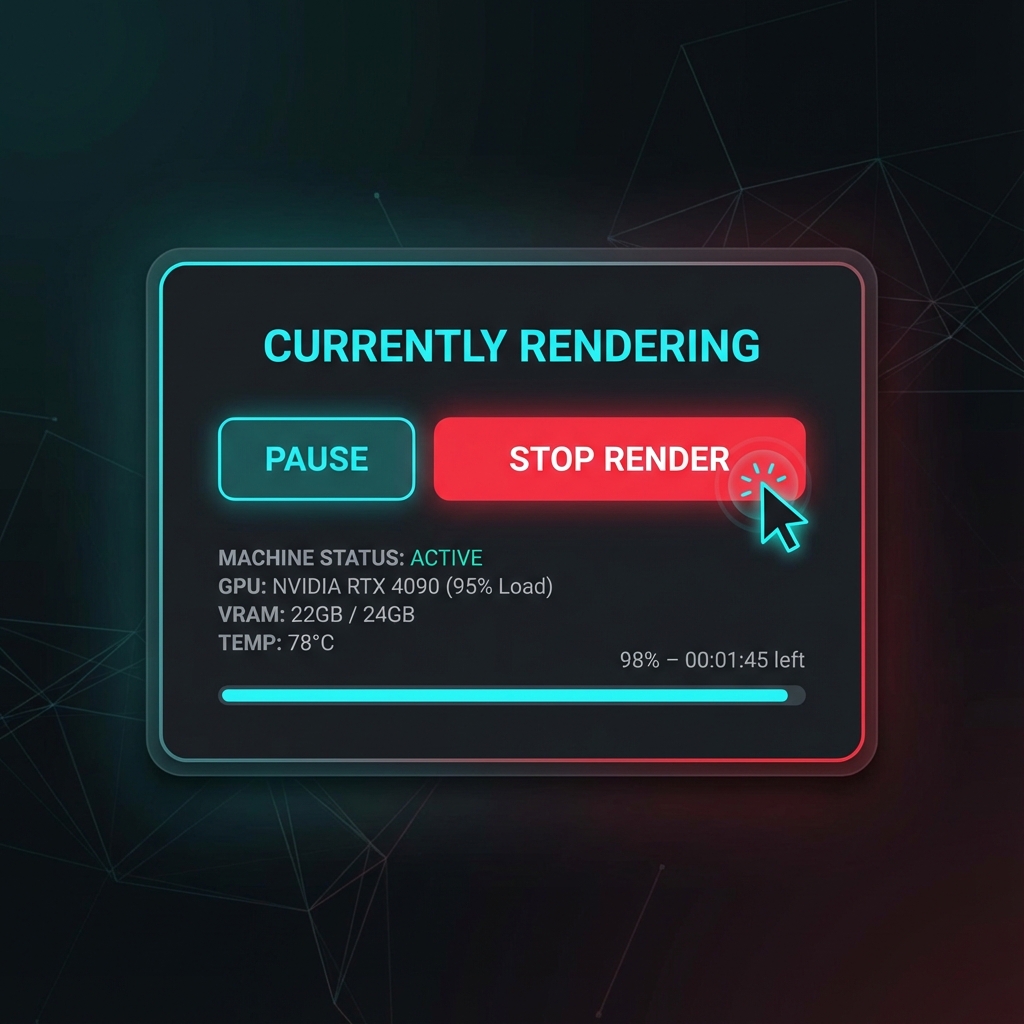
Remote Queue Control & Emergency Stop
Notice a runaway simulation, missing texture, or bad camera move on your phone? Tap once to pause the queue or trigger an emergency abort before wasting gigabytes of disk space and hours of power.
YOUR TOOLS. ONE CONTROL LAYER.
Whether you work in Unreal Engine, Houdini, Blender, Maya, or 3ds Max, RenderBuddy connects them all to your mobile device.
Unreal Engine
Available NowDeep Movie Render Queue (MRQ) integration. Tracks warm-up frames, temporal samples, anti-aliasing passes, and tile renders.
- Movie Render Queue (MRQ) Hooks
- Sequence & Shot Progress
- Live EXR / JPG Frame Scrapes

SideFX Houdini
Early AccessMonitor ROP output networks, PDG graph tasks, Karma, Mantra, Redshift, and Arnold. Track heavy FLIP, Pyro, and Vellum simulations.
- ROP Node Progress & Events
- PDG Task Scheduler Telemetry
- Simulation Cache Tracking

Blender
Early AccessReal-time Cycles and Eevee render tracking. Sample count estimation, tile progression, and final denoising pass alerts.
- Cycles & Eevee Next Telemetry
- Sample Count Estimation
- Blender 3.6 LTS, 4.0 - 4.2+

Autodesk Maya
Early AccessBatch render queue hooks and Render View telemetry for Arnold, V-Ray, and Redshift pipelines.
- Arnold & V-Ray Batch Monitoring
- Frame Completion Alerts

Autodesk 3ds Max
Early AccessArchViz and production render monitoring for V-Ray, Corona, and Arnold renders.
- V-Ray & Corona Pass Tracking
- Real-time Frame Previews

Foundry Nuke
In PipelineCompositing write-node tracking, background terminal rendering, and heavy multi-channel EXR render progress.
- Write Node Progress
- Background Terminal Render Tracking

RenderBuddy Universal Agent
The high-performance C++ backend that connects your DCC plugins via local UDP loopback and bridges secure telemetry to your phone.
Download Agent (Win 64-bit)
RenderBuddy Mobile App
Keep your production workstation in your pocket. Get push notifications, stream live previews, and monitor machine thermals anywhere.


YOUR INTELLECTUAL PROPERTY NEVER LEAVES YOUR MACHINE
Render pipelines process unreleased films, games, and commercial secrets. RenderBuddy is engineered to protect your assets by design.
100% Local File Isolation
RenderBuddy never touches, reads, or transmits your 3D scenes, geometry, textures, shaders, or project files. Your production data stays strictly on your workstation disk.
Loopback UDP Sockets
Plugins communicate exclusively via local loopback 127.0.0.1:5555. No external network ports are opened on your workstation, preventing unauthorized external access.
Micro-Telemetry Bandwidth
Only lightweight JSON strings (<2KB/s) containing frame indices, hardware metrics, and compressed preview thumbnails stream to your authenticated phone session.
CLEAR ANSWERS FOR 3D ARTISTS
BUILT FOR PRODUCTION ARTISTS
Join our active Discord community. Share your workflow, request custom DCC features, troubleshoot pipeline setups, and chat directly with the creators of RenderBuddy.
Join The Discord Community